Krkn, the CNCF sandbox chaos engineering tool for Kubernetes, just shipped v5.1.0 with a brand-new way to torture your persistent storage — and honestly, your clusters will thank you for it.
What is Krkn? Think of it as a chaos Swiss Army knife for Kubernetes. You point it at your cluster, tell it what kind of disaster you want to simulate — pod kills, node failures, network partitions — and it goes to work, deliberately breaking things so you can find out what actually happens when production goes sideways. It is built for platform engineers and SREs who would rather discover their weak points on a Tuesday afternoon than at 3 AM on a Saturday.
What problem does it solve? Most teams are confident their apps survive pod restarts and node failures. Storage, though? That is the unknown territory. Database latency spikes, PVC throttling, degraded IOPS — these are the failures that sneak up on you, and until now, Krkn did not have a great way to test them.
Who uses it? SREs, platform engineers, and chaos practitioners running Kubernetes at scale. If you have ever run a game day or a disaster recovery drill, Krkn is the automation engine that makes it repeatable.
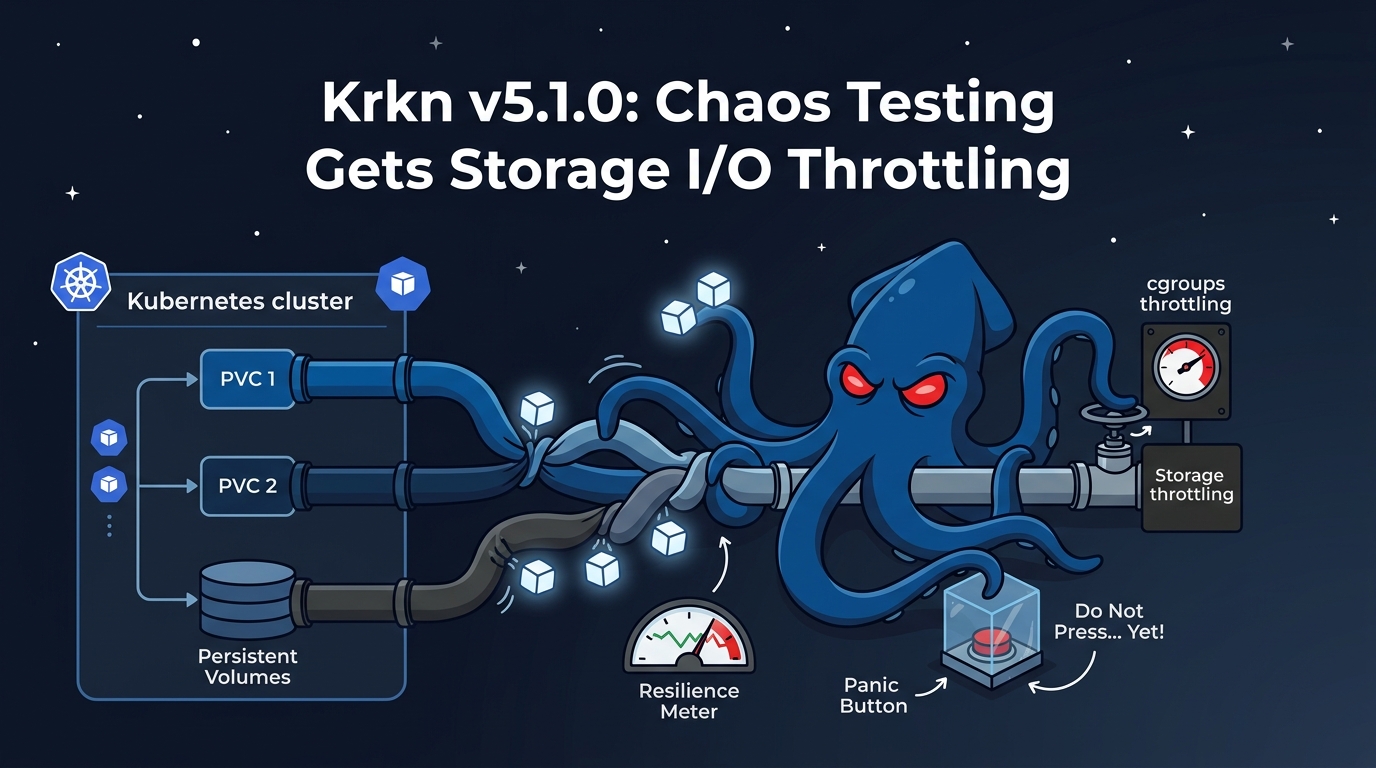
Why should you care about v5.1.0? Because it adds a storage I/O throttle scenario that lets you deliberately slow down disk reads and writes on PVC-backed workloads using Linux cgroups — and that is a failure mode almost no one tests for until it happens in production.
Krkn v5.1.0 landed on May 19, 2026, and it is a focused release. One big feature, a couple of bug fixes, and some housekeeping. Let us get into what matters.
What Is New
Storage I/O Throttle Scenario for PVC-Backed Workloads
This is the headline. PR #1296 introduces a storage throttle chaos scenario that lets you limit read/write IOPS and bandwidth on a volume used by a target pod. It works with both cgroups v1 and cgroups v2, so it covers basically every Kubernetes distribution you are running in 2026.
Why does this matter? Because storage degradation is one of those silent killers in production. Your database does not crash — it just gets slow. Your API responses creep up from 50ms to 500ms. Your users start complaining and you are staring at dashboards wondering what changed. With this scenario, you can reproduce that exact failure on purpose and find out how your services behave before your storage backend does it for real.
If you have ever had a production incident caused by storage latency, you know the feeling — everything looks healthy until it very much is not. Now you can simulate that on a Tuesday.
Here is how you run it. The scenario type is storage_throttle_scenarios, and it ships with ready-made scenario files for Kubernetes, OpenShift, and kind:
# scenarios/kube/storage_throttle.yaml
scenarios:
  - scenario: scenarios/kube/storage_throttle.yaml
    name: storage-throttle-test
The plugin deploys a short-lived privileged helper pod on the workload node, chroots into the host, discovers the block device from /proc/self/mountinfo, applies IOPS and bandwidth limits via cgroups, holds the throttle for the configured duration, then cleans everything up. Rollback is automatic — if the scenario is interrupted or fails, limits are removed and the helper pod is deleted.
It supports targeting pods via PVC name or explicit pod name, and the default helper image is quay.io/krkn-chaos/krkn:tools.
PR #1296 — Storage I/O throttle scenario
Klusterlet Scenario Bug Fix
If you are running managed-cluster klusterlet scenarios, this fix is worth your attention. PR #1324 corrects a bug where the start_klusterlet_scenario action was calling stop instead of start. Yes, you read that right — your chaos scenario was doing the opposite of what you asked. Fixed now.
PR #1324 — Fix klusterlet scenario start/stop inversion
Workload Scenario Fix
PR #1342 addresses a runtime issue in the workload scenario. If you use workload chaos scenarios, this is a stability improvement worth picking up.
Bug Fixes
- DCO check — PR #1329 adds a Developer Certificate of Origin check to the project CI pipeline. Housekeeping, not a runtime change.
- Roadmap links — PR #1328 updates roadmap documentation links. Administrative cleanup.
Go break your storage on purpose before your storage breaks on its own.